Adding a Birdychat widget to Squarespace
Follow these steps to add the widget to your site using the Widget Code.
1. After logging in to Squarespace, click Pages under Website.

2. Click Code Injection under Custom Code.

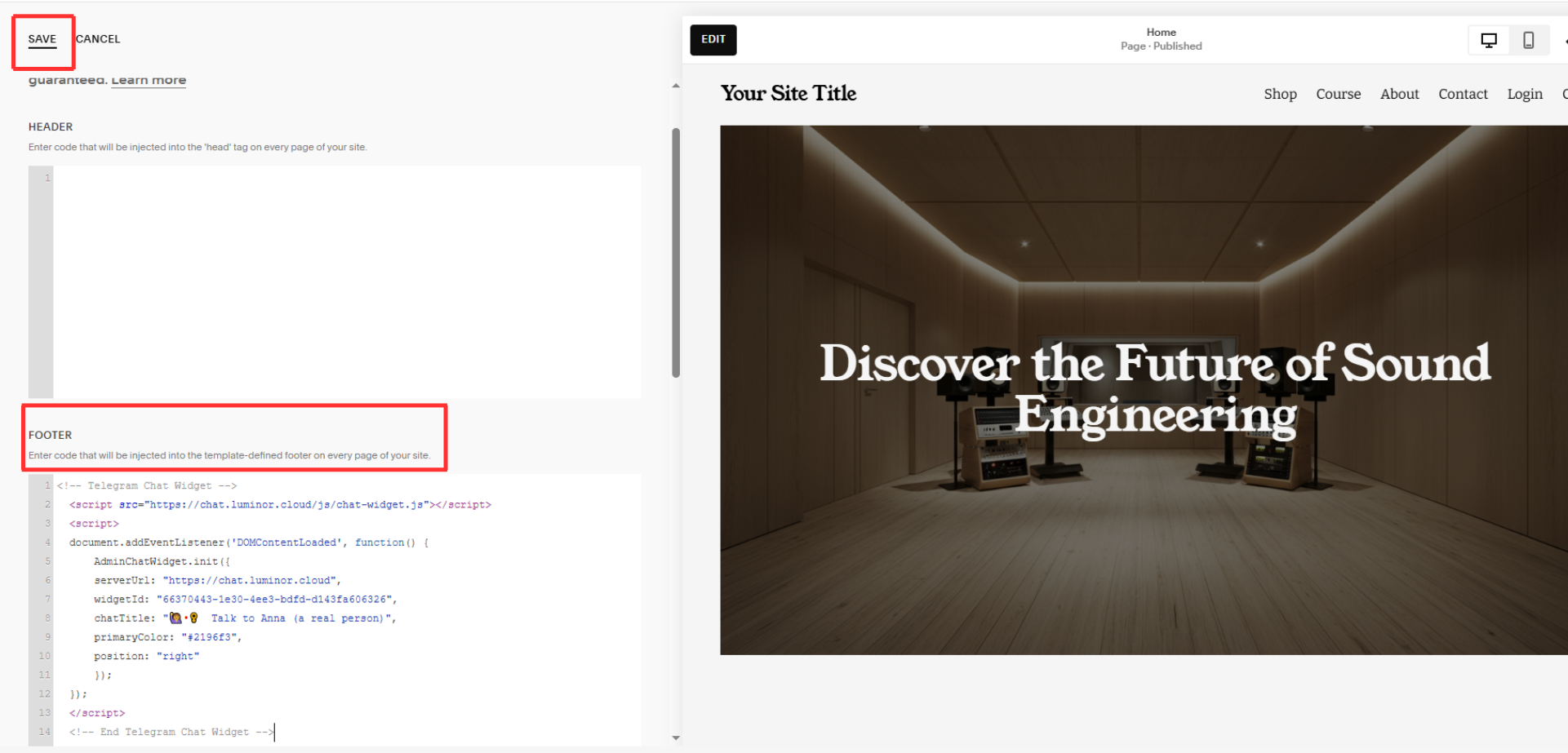
3. Scroll down to Footer and paste your Widget Code here.
Click Save at the upper-left corner of the page.
Congratulations! 🎉 You can now start talking with your website visitors in real-time!